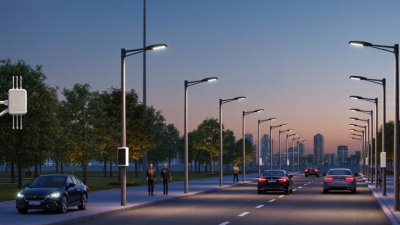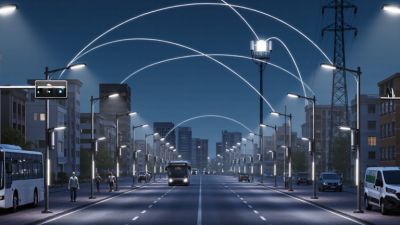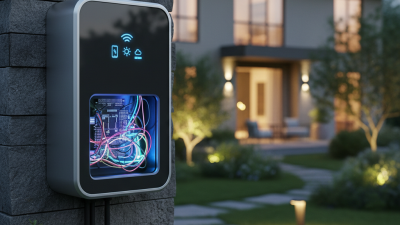
A Smart Outdoor Lighting Controller is the small but important link between outdoor fixtures and the way a property is used. It can switch lights on at dusk, dim them late at night, or respond to motion near a path. The result is practical: a porch light can welcome someone home, while a side-yard fixture stays dim until needed.
At its simplest, the controller combines a timer, sensor, or network connection with a way to manage compatible lights. More capable systems allow schedules and zones to be adjusted from a phone or building control platform. Yet features alone do not guarantee good lighting. Poor sensor placement can leave a dark patch beside the garage. An overly bright setting can wash out a garden and create glare at the front window. Small details matter.
A useful guiding line is: “Light the route people use, and keep unused areas quiet.” This is an editorial principle, not a verified quotation from a named expert; no source was supplied to confirm an expert’s words. A reliable guide should distinguish product capability from real-world performance. It should explain compatibility, installation limits, weather exposure, and what happens when Wi-Fi fails. Those questions are easy to overlook. They are also worth asking before choosing a controller. This introduction examines how these systems work, which control methods suit different properties, and where automation helps—or simply adds complexity. The goal is not a perfect setup. It is a safer, more convenient lighting plan that fits the site.
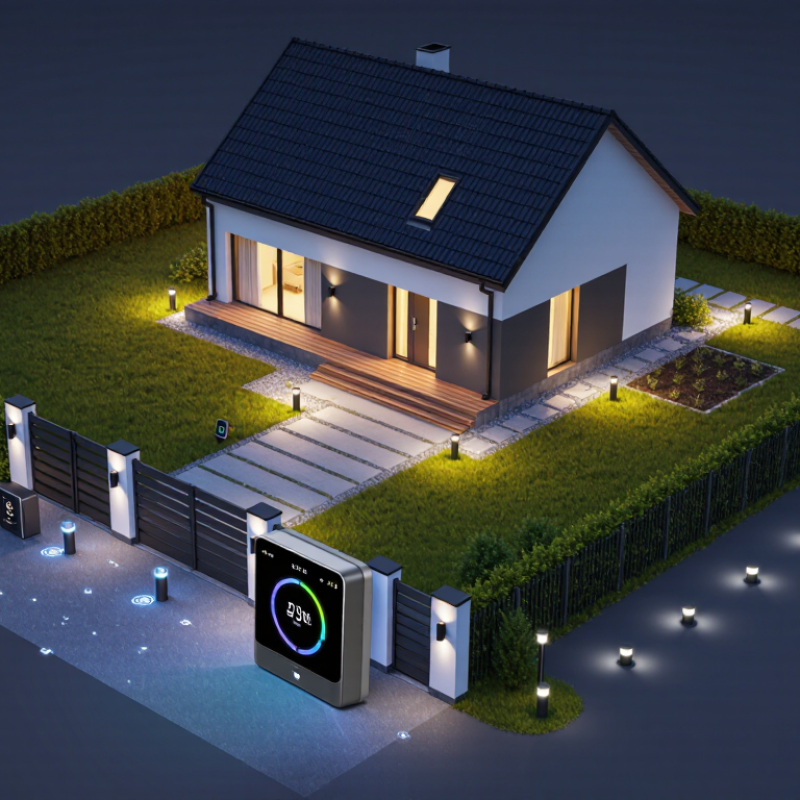
A smart outdoor lighting controller is a device that manages exterior lights using schedules, daylight readings, motion detection, or remote commands. It acts as the decision point between sensors and fixtures: a photocell can keep path lights off after sunrise, while a motion sensor can brighten a dark entrance when someone approaches. Some systems also allow dimming and group control. The controller does not create efficient lighting by itself; its value depends on sensible settings and compatible equipment.
The International Energy Agency estimates that lighting uses about 15% of global electricity and produces roughly 5% of global greenhouse gas emissions. Those figures cover lighting overall, not outdoor lighting alone. Still, they show why reducing unnecessary operating hours matters. The U.S. Department of Energy’s 2020 U.S. Lighting Market Characterization also breaks down lighting energy use by sector, underscoring that savings depend on the installed load and how long lights run. A controller can help, but poor sensor placement may leave a fixture switching on for passing cars or branches moving in the wind. It is not magic.
Tips: Start with one entrance or walkway. Set a short, practical motion timeout, then observe it for several evenings. Check that sensors do not point toward roads or moving foliage. Small adjustments often matter more than adding features.
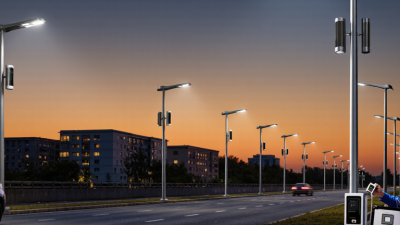
A smart outdoor lighting controller manages when lights turn on and off and how brightly they shine. It can use schedules, daylight readings, or connected sensors to adjust lighting automatically.
Example schedule: This illustrative, configurable profile dims lights overnight and brightens them before dawn. Actual settings depend on the location, lighting needs, and controller configuration.
What Is a Smart Outdoor Lighting Controller?
Main Components and Connected Devices
A smart outdoor lighting controller manages when exterior lights turn on, how bright they shine, and which devices respond. Its core parts usually include a control unit, switching or dimming hardware, and a communication connection. Some systems connect directly to a home network; others use a separate hub. The controller sends commands to compatible fixtures, while built-in schedules keep lights working even when a phone is not nearby. Simple, but not magic.
Connected devices can include motion sensors, daylight sensors, wall switches, and weather-resistant light fixtures. A motion sensor may activate a path light when someone approaches, while a daylight sensor prevents it from running at noon. Apps or smart-home hubs let users adjust schedules and group lights by area. Check device compatibility before installation: similar-looking connectors do not guarantee that components communicate properly. Outdoor wiring and enclosures also need suitable weather protection.
Tips: Start with one lighting zone and test it at dusk. Set motion sensitivity carefully; passing branches can trigger unwanted lighting. Keep a manual switch available. Some setups take more adjustment than expected, and that’s worth planning for.
| Category | Component or Device | Main Function | Common Connection or Control Method | Practical Notes |
|---|---|---|---|---|
| Controller | Outdoor lighting controller | Runs schedules, receives sensor inputs, and sends commands to lighting circuits or fixtures. | Local wired inputs and outputs; may also use a wireless network or cellular connection. | Features vary by system. Some controllers manage one circuit, while others coordinate multiple zones. |
| Switching hardware | Relay or contactor | Turns a lighting circuit on or off in response to a controller command. | Typically controlled by a switched electrical output from the controller. | The switching device must be appropriately rated for the circuit voltage, load, and installation conditions. |
| Lighting load | Outdoor LED fixture or driver | Produces light for roads, paths, parking areas, building exteriors, or landscapes. | Switched power; dimming may use 0–10 V, DALI, or a compatible wireless control method. | Dimming requires compatible fixtures or drivers and a matching controller interface. |
| Light sensor | Photocell or ambient-light sensor | Measures daylight so lights can switch or adjust based on brightness. | May provide a hardwired switching signal, an analog reading, or a wireless sensor message. | Placement and threshold settings help reduce false switching caused by shadows or nearby lights. |
| Occupancy sensing | Motion or presence sensor | Detects activity and can raise light levels or trigger lighting in a defined area. | Often uses a wired contact or a wireless message; sensing technology may include passive infrared or microwave detection. | Coverage, mounting height, and timeout settings affect detection performance and energy use. |
| Network device | Gateway or communications module | Connects controllers or field devices to a local network or remote management service. | Depending on the design, may use Ethernet, Wi-Fi, cellular, or low-power wireless networking. | Wireless range, network coverage, and backup behavior should be considered during planning. |
| User interface | Wall switch, local panel, or management software | Lets authorized users set schedules, change zones, and review system status. | May connect directly to the controller or communicate through a network gateway. | Local controls can be useful when network access is unavailable. |
| Monitoring device | Energy meter or circuit monitor | Reports electrical consumption or circuit status to support monitoring and troubleshooting. | May communicate through pulse output, Modbus over RS-485, Ethernet, or another supported interface. | Monitoring capability depends on compatible metering hardware and controller support. |
A smart outdoor lighting controller coordinates when exterior lights turn on, how brightly they shine, and when they switch off. It may use a photocell to detect dusk, an astronomical clock to follow local sunset times, or motion sensors near paths and entrances. The controller sends commands through wired circuits or a wireless network to relays and dimmers. A simple schedule handles routine hours. Sensors respond to changing conditions.
For example, a walkway can stay dim after midnight, then brighten when someone approaches. That sounds tidy. Rain, shadows, and sensor placement can still cause unwanted switching. Installers should test the system at night and adjust detection zones on site. U.S. Department of Energy guidance notes that LED lighting uses at least 75% less energy than incandescent lighting, but controls determine when that light is actually needed. The DOE’s Energy Saver guidance supports the efficiency case for LEDs; it does not guarantee equal savings from every control setup. A controller also needs a practical fallback, such as a local switch, if a network connection fails. Small details matter. A sensor aimed at a tree may trigger repeatedly in moving branches. That is easy to miss during a daytime setup.
Control Methods, Sensors, and Scheduling Options
A smart outdoor lighting controller can respond to commands, changing conditions, or a preset timetable. Many systems offer app controls, while some also support a physical switch or voice commands. A wall switch remains useful when a phone is indoors or the network drops. Simple, but useful.
Sensors add automatic control. A motion sensor can turn on a path light when someone approaches, then switch it off after a chosen interval. An ambient-light sensor can prevent lights from running during bright daylight. Placement matters. A sensor aimed at a busy sidewalk may trigger too often, while shrubs or a porch roof can block its view. Test the setup after dark and adjust the angle if needed.
Scheduling options range from fixed start and stop times to sunset-based schedules that shift with the season. You can also set different hours for weekdays and weekends, or dim lights late at night. Keep a manual override available; schedules rarely fit every gathering or delivery. Connectivity can affect remote control, but local timers and sensor settings may continue working, depending on the controller. Check that behavior before relying on it. One detail is easy to miss: a very short motion timeout can leave a dark gap while someone walks slowly along a path.
A smart outdoor lighting controller manages fixtures through schedules, sensors, or remote commands. It can switch pathway lights on at dusk, dim patio lighting late at night, or brighten an entrance when motion is detected. That matters. The goal is useful light where people need it, not simply brighter surroundings.
Common applications include garden paths, shared driveways, building entrances, and outdoor work areas. A motion sensor can help illuminate a side gate, while a fixed schedule suits decorative lights that should follow local sunset times. For parking areas, separate fixture groups can make it easier to keep key zones lit without running every lamp at full output. Keep it simple. Too many overlapping schedules can make behavior confusing.
Check practical details before installation. Confirm that the controller and enclosure are suitable for the location, and verify that its switching or dimming method matches the connected fixtures. Wireless range may weaken behind masonry or metal, so test the signal at the farthest light. Place motion sensors away from swaying branches and busy streets to reduce false triggers. Manual control is useful when a sensor misses someone or a schedule no longer fits the season. In practice, setup may need adjustment after a few evenings; a tidy plan on paper does not always match the site.