Leave Your Message

How to Choose the Right Luminaire Controller?

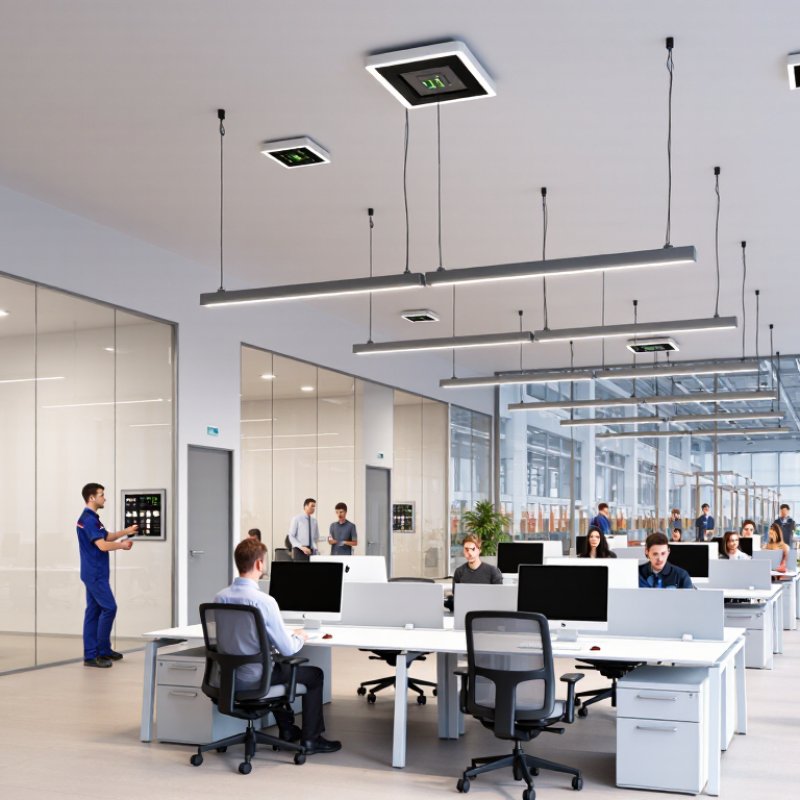
Choosing a Luminaire Controller is no longer a minor specification detail. It affects energy use, occupant comfort, maintenance, and how easily a lighting system can adapt. The United Nations Environment Programme’s 2023 Global Status Report for Buildings and Construction estimates that buildings account for about 30% of global final energy consumption. Lighting is only one part of that demand, but poorly matched controls can still waste energy in rooms that sit empty or receive ample daylight.

The right controller depends on the space and the people using it. A warehouse with high-bay fixtures may need reliable occupancy detection and clearly defined timeout settings. An office with large windows may benefit more from daylight-responsive dimming. For connected buildings, check communication protocols, cybersecurity provisions, commissioning tools, and compatibility with existing luminaires. The U.S. Department of Energy’s guidance on commercial lighting controls highlights strategies such as occupancy sensing and daylight harvesting; their real-world performance depends on correct installation and configuration. A capable device can still disappoint. Small details matter.

Before comparing products, define the project’s control zones, required dimming range, sensor coverage, and maintenance plan. Ask how the controller behaves after a network interruption, and whether staff can adjust settings without specialist tools. These questions are practical, not glamorous. They can prevent mismatched equipment and difficult commissioning later. No single controller suits every building. The best choice is the one that fits the space, integrates with the lighting system, and can be managed reliably over time.
How to Choose the Right Luminaire Controller?

Define the Lighting Requirements and Control Goals

Define the lighting requirements before selecting a luminaire controller. Map each space by task, operating hours, daylight exposure, and occupancy. A warehouse aisle may need bright, uniform light during shifts, while a meeting room benefits from dimming and simple scene control. Note existing wiring and whether fixtures support the intended control method. The International Energy Agency estimates that lighting accounts for about 15% of global electricity use, making efficient operation more than a minor detail. Still, energy savings depend on how people actually use a space.

Set measurable goals. These might include a target light level, reduced after-hours operation, daylight-based dimming, or fewer manual adjustments. The U.S. Department of Energy’s commercial-building research has documented energy savings from lighting controls, but results vary with building type, setup, and occupant behavior. Treat published figures as guidance, not a guarantee. A controller that looks efficient on paper may frustrate staff if sensor delays feel too long. That happens.

Tips: Walk the site at different times of day. Record where sunlight reaches desks, where motion sensors might miss seated occupants, and which rooms need manual override. Ask users what currently works—and what does not. A short trial in one representative area can reveal awkward settings before wider installation. Keep the goals specific, but leave room to revise them.

Compare Luminaire Controller Types and Communication Methods

Luminaire controllers differ in how they send commands, share status, and handle failures. Wired 0–10 V is straightforward: a pair of control wires dims fixtures, but does not provide detailed device feedback. DALI-2 uses a digital bus, supporting individual addressing and two-way communication. Wireless mesh avoids new control cabling, though radio coverage and commissioning need careful checks. Small details matter.

The International Energy Agency’s Energy Efficiency 2023 report notes that lighting uses about 15% of global electricity. That figure is not a forecast for any single building, but it shows why accurate control matters. For a simple room with a wall dimmer, 0–10 V may be sufficient. For open offices with occupancy sensors, daylight response, and fixture-level monitoring, DALI-2 can offer more granular control. Wireless systems can suit renovations where pulling cable is disruptive.

Compare lifecycle needs, not just controller price. Check interoperability, commissioning tools, sensor support, and what happens when communication drops. A mesh system may reduce wiring, but concrete walls can weaken signals. A digital bus can improve visibility, yet configuration takes expertise. The right choice is sometimes less elegant than expected. Pilot one floor, measure response times and energy use, then adjust before scaling.

Check Compatibility with Luminaires, Sensors, and Control Systems

How to Choose the Right Luminaire Controller?

Check Compatibility with Luminaires, Sensors, and Control Systems

A controller must match the luminaire’s driver, voltage, and dimming method. Check whether the fixture supports phase-cut, 0–10 V, or digital control; similar-looking wires do not guarantee compatibility. Confirm the controller’s load range and minimum dimming level, too. A mismatch can cause flicker, limited dimming, or lights that never fully switch off. Small details matter.

Sensors need a compatible connection and suitable coverage. Compare their detection range with the room layout: a ceiling sensor may miss a seated worker behind shelving. Also check whether daylight sensors can be calibrated for the actual window position and task surface.

The U.S. Department of Energy’s Pacific Northwest National Laboratory reported average lighting-energy savings of 47% across 14 sites using networked lighting controls. Results varied by site, so that figure is a benchmark, not a promise.

Finally, check how the controller communicates with the wider system. Verify protocol support, gateways, and whether schedules or sensor settings can be managed centrally. Ask for a wiring diagram and test one representative zone before ordering at scale.

It is easy to overlook future maintenance. That deserves a second look. A technically compatible system may still frustrate staff if commissioning requires specialist tools or undocumented settings.

Evaluate Features, Operating Conditions, and Maintenance Needs

How to Choose the Right Luminaire Controller?

Evaluate Features, Operating Conditions, and Maintenance Needs

Choosing a luminaire controller starts with the job it must do. Check whether you need scheduled dimming, occupancy sensing, daylight response, or remote monitoring. A hallway with short bursts of activity needs different settings from a warehouse lit through long shifts. Match the control features to actual routines, not an idealized plan. More functions are not always better. Extra complexity can make setup harder and create more points to troubleshoot.

Then consider the operating conditions. Note the expected temperature range, moisture, dust, vibration, and available wiring or network connections. A controller installed above a loading bay faces different stress than one in a dry office ceiling. Confirm that its ratings and communication method fit the location. Test signal coverage on site; concrete walls and metal fixtures can weaken wireless links. Small details matter.

Maintenance deserves equal attention. Ask how settings are updated, whether faults can be identified without removing the fixture, and how replacement affects commissioning. Keep a record of control zones and schedules. It saves time later, though records can become outdated if no one owns them. Pilot a few luminaires before expanding. Watch for nuisance dimming, missed occupancy, and confusing overrides during normal use. Real conditions may expose assumptions the specification missed.

Select a Controller and Plan Installation and Commissioning

How to Choose the Right Luminaire Controller?

Select a Controller and Plan Installation and Commissioning

Choose a controller that matches the project’s luminaires, control method, and operating needs. Check compatibility with dimming drivers, sensors, switches, and the building control system. A lighting plan may look clear on paper, but cable routes, ceiling access, and room use can change the practical choice. Walk the site before specifying equipment. Note where daylight enters and where occupants actually work.

Plan installation around real site conditions. Confirm controller locations, wiring paths, network requirements, and access for future maintenance. Label cables at both ends; it saves time when a fitting does not respond. During commissioning, test each zone, sensor range, dimming level, and scheduled setting. Ask staff to try typical tasks, such as reading at a desk or moving through a corridor. Keep a record of settings and any changes. Some assumptions will be wrong, so leave room to adjust.

Tips: Test one representative room before rolling out the full system. Check that lights respond smoothly at low levels, and verify sensor coverage from several positions. Keep spare time for troubleshooting; commissioning rarely follows the drawing exactly.

How to Choose the Right Luminaire Controller? — Select a Controller and Plan Installation and Commissioning

Decision Area What to Assess Suitable Controller Approach Installation and Commissioning Check
Project requirements Define the required functions, such as on/off switching, dimming, occupancy response, daylight response, scheduling, and scene control. Choose a controller that supports the required functions and the planned method of operation, rather than selecting by protocol alone. Document control zones, operating schedules, target light levels, user interfaces, and any required override behavior before installation.
Dimming interface Check the luminaire driver’s control input and confirm that the controller and driver are compatible. Use a compatible interface such as DALI, 0–10 V, or a suitable phase-control system. These interfaces are not interchangeable. Verify the driver documentation, wiring arrangement, dimming range, and minimum output. Test for flicker, dropout, and smooth dimming across the intended range.
DALI system Consider whether individual addressing, group control, status reporting, or reconfiguration is needed. A DALI controller can support digital communication with compatible control gear. A standard DALI line supports up to 64 control gear addresses; confirm system design limits and device requirements. Install the DALI bus according to the equipment instructions and applicable electrical rules. Address devices, assign groups, set scenes, and verify communication and responses.
0–10 V system Confirm whether the driver and controller use compatible 0–10 V signaling and whether switching is handled separately. Use a matched 0–10 V controller and driver. Many arrangements use a separate mains switching method, so the control signal alone may not turn the luminaire fully off. Follow the manufacturer’s wiring and polarity instructions, keep control wiring appropriately separated, and verify the dimming response and off-state behavior.
Wireless control Assess building layout, radio coverage, network ownership, cybersecurity requirements, and the need for local operation if connectivity is interrupted. Use a compatible wireless controller or mesh system when new control wiring is impractical or flexible reconfiguration is valuable. A gateway may be needed for monitoring or integration. Survey coverage at the installed locations, commission device memberships and control groups, test gateway connectivity, and confirm how the system behaves during a network outage.
Occupancy sensing Consider room size, mounting position, partitions, expected movement, and whether occupants may remain still for long periods. Select a controller compatible with the sensor technology and the intended space. Sensor coverage and placement matter as much as the controller specification. Test detection throughout the occupied area, adjust time delay and sensitivity, and confirm that the lighting does not switch off unexpectedly.
Daylight response Identify areas with useful daylight and determine where light measurements will represent the working plane. Use a controller with a compatible daylight sensor and a configurable daylight-harvesting function for the relevant lighting zone. Position the sensor as instructed, avoid direct light from luminaires where possible, set the target level, and check the response under different daylight conditions.
Control zones and capacity Count luminaires, drivers, sensors, user interfaces, and control zones; account for wiring topology and system-specific limits. Choose a controller with adequate device capacity and the required number of outputs, channels, or supported network devices. Add suitable expansion equipment if needed. Check device counts, cable routes, voltage drop where applicable, and manufacturer limits. Label circuits, buses, and zones consistently.
Building-system integration Determine whether lighting must exchange information with a building management system, room-control system, or monitoring platform. Select a controller with a documented compatible interface or gateway for the required integration. Confirm the exact functions available across the interface. Agree on addressing, point names, permissions, and responsibility for configuration. Test commands, status feedback, and loss-of-connection behavior.
Electrical and environmental suitability Review supply voltage, load type, switching current, enclosure location, ambient conditions, and applicable local electrical requirements. Choose equipment rated for the actual electrical load and installation environment. Use qualified personnel for mains wiring and protective measures. Isolate circuits before work, verify protective devices and connections, and inspect enclosure, earthing, and cable entry arrangements against the equipment instructions and local codes.
Commissioning and handover Plan who will configure the system, record settings, and support future maintenance or changes. Prefer a system with a clear configuration process and accessible documentation appropriate to the project team. Test each zone, sensor, control input, schedule, and scene. Provide as-built drawings, device lists, configuration records, operating instructions, and maintenance information.