Leave Your Message

What Is the Best Smart Lighting Control System?

Choosing the best Smart Lighting Control system is not simply a matter of buying the brightest bulbs. It means matching controls to rooms, routines, wiring, and existing devices. A hallway may need a motion sensor; a sunny kitchen may benefit more from daylight-responsive dimming. The right choice should make these small daily decisions feel effortless.

The International Energy Agency’s 2023 report, Energy Efficiency, notes that buildings account for about 30% of global final energy consumption. That figure covers much more than lighting, but it shows why reducing avoidable building energy use matters. The U.S. Department of Energy’s guidance on lighting controls likewise describes tools such as occupancy sensors and dimmers for managing light when and where it is needed. Their actual value depends on installation, room use, and user settings. A sensor aimed at a moving curtain, for example, may switch lights on at the wrong moment.

There is no universal winner. Some systems offer simple app control, while others connect sensors, schedules, and wider home or building automation. Compatibility, privacy settings, reliable operation, and clear manual controls all deserve attention. Features can look impressive on a product page. Daily use is the real test. This guide compares the main control options, practical strengths, and trade-offs, while noting where published evidence cannot predict results in every space.
What Is the Best Smart Lighting Control System?

What a Smart Lighting Control System Does

A smart lighting control system coordinates fixtures, sensors, schedules, and user settings. It can dim lights near windows, switch off empty rooms, and adjust brightness by time of day. A motion sensor might keep a hallway lit while someone passes, then lower output after the space is empty. Wall controls still matter; people need a simple way to override automation. Small detail, big difference.

The system’s value depends on setup and daily use, not just connected hardware. A Lawrence Berkeley National Laboratory review of commercial-building studies reported average lighting-energy savings of 24% from occupancy controls and 28% from daylight controls. These are study averages, not guaranteed results for every building. Sensor placement, room layout, and user habits can change performance. Poorly aimed sensors may leave a desk dark, while aggressive schedules can frustrate staff. During commissioning, test actual work areas at different times and adjust settings with occupants’ feedback. It is easy to overlook this step. A clear control system should also show whether lights are on, dimmed, or responding to sensors, so facility teams can spot problems without guessing.

What Is the Best Smart Lighting Control System? - What a Smart Lighting Control System Does

A smart lighting control system connects lights with controls, sensors, schedules, or other building devices so lighting can be adjusted automatically or by users. The best fit depends on the space, installation, and desired level of control.

Control approach How it works Typical controls and functions Advantages Things to consider Often a good fit for
Smart bulbs Each compatible bulb contains wireless control electronics and connects to a home network or a separate hub. App or voice control, dimming, schedules, scenes, and—on some models—adjustable color or color temperature. Can often be installed by replacing existing bulbs; room-by-room control is straightforward. Wall switches may cut power to smart bulbs, making remote control unavailable until power is restored. Bulb compatibility and network requirements vary. Rentals, small upgrades, and individual lamps or fixtures.
Smart switches or dimmers A smart wall control switches or dims compatible lighting circuits; some models connect directly to Wi-Fi, while others use a hub or another wireless network. Physical wall control, app control, schedules, scenes, and sometimes energy or occupancy features. Existing fixtures can often remain in place, and lights can still be operated from a wall control. Electrical-box space, wiring, load type, and neutral-wire requirements vary. Installation may require a qualified electrician. Homes where familiar wall-switch operation is important.
Hub-based wireless system A central hub coordinates compatible lights, switches, sensors, and other devices over a supported wireless protocol. Centralized scenes, schedules, device coordination, and automations triggered by sensors or other events. Can bring multiple device types together and may reduce reliance on direct Wi-Fi connections for every device. The hub adds setup and maintenance; compatible devices, supported protocols, and local-versus-cloud features should be checked before purchase. Homes with several rooms, sensors, and lighting automations.
Building-wide wired or hybrid controls Lighting circuits, control devices, and sometimes sensors communicate through dedicated control wiring, wireless links, or a combination of both. Room and zone control, occupancy response, daylight-based dimming, schedules, and integration with building systems where supported. Designed to coordinate larger installations and can support centralized management across multiple spaces. Design, commissioning, and installation are more involved; compatibility and future expansion should be planned early. New builds, major renovations, and larger residential or commercial properties.
Sensor-led standalone control Occupancy, vacancy, or daylight sensors control a light or zone directly, without requiring a full smart-home platform. Automatic on/off control and, in suitable systems, light-level adjustment based on available daylight. Provides automatic control for specific spaces with fewer connected devices to manage. Sensor placement, settings, and room use affect performance; it may offer less app-based or whole-home coordination. Utility areas, corridors, and rooms where automatic switching is the main goal.

How to choose: Compare compatibility with existing bulbs and wiring, preferred wall controls, sensor and scheduling needs, connectivity requirements, privacy settings, accessibility, and installation effort. There is no single best system for every property; the best choice is the one that reliably supports the required controls in the spaces being upgraded.

How Smart Lighting Systems Connect and Operate

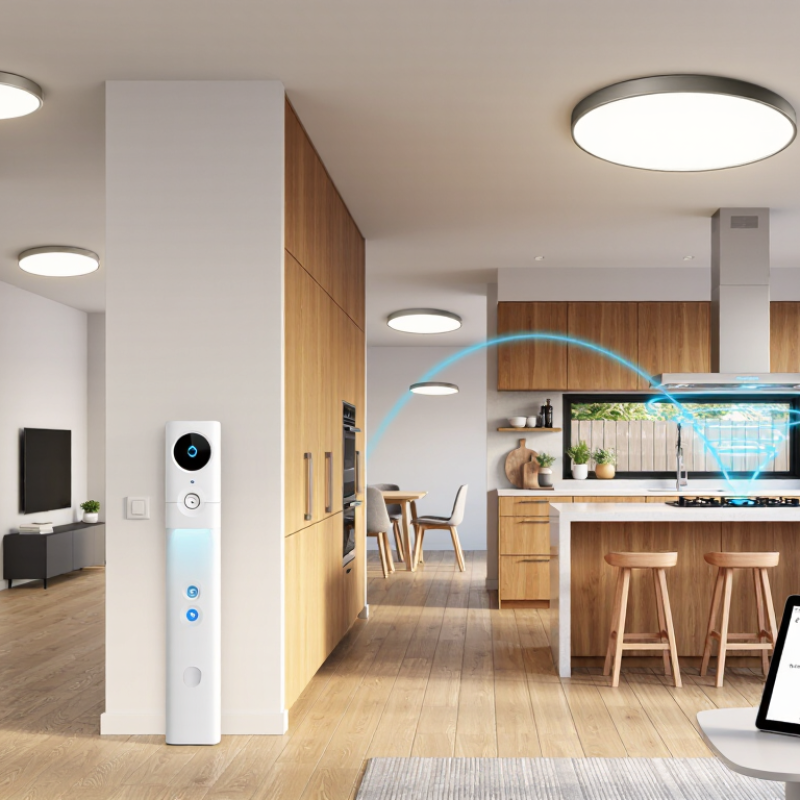
A smart lighting system is a small network, not just a bulb controlled by an app. Each fixture or switch receives commands through a wired connection, such as DALI, or a wireless mesh network. Sensors add useful context: a ceiling sensor detects an empty room, while daylight sensing can dim lights beside a window. A controller applies schedules, occupancy rules, and brightness settings, then sends instructions to individual lights or groups. Some systems keep these rules on-site; others rely on a cloud service. That difference matters when the internet drops. Local control can keep basic schedules running.

A real setup might dim an office row when sunlight reaches the desks, then brighten it when occupants arrive. The pieces must communicate reliably, and compatible protocols make future changes easier. Yet compatibility alone is not enough. Poor sensor placement can leave a desk dim or trigger lights in an empty corridor. Not always. Commissioning takes testing, adjustment, and a little patience.

Energy savings depend on the building and its routines, not just the control hardware. The U.S. Department of Energy’s 2019 Energy Savings Forecast of Solid-State Lighting in General Illumination Applications projected that LED lighting could save about 569 terawatt-hours annually by 2035. That is a broad lighting forecast, not a guarantee for any smart system. Still, it shows why efficient fixtures and well-tuned controls belong in the same conversation. A useful system makes its actions visible, so facility teams can spot unexpected schedules or lights that never dim.

The Main Types of Smart Lighting Controls

Smart lighting controls range from simple wall dimmers to systems that coordinate several rooms. A dimmer changes brightness directly, while a scene control can set several lights to a chosen level at once. These options work well when people want quick, predictable adjustments without opening an app. Simple, but limited. App-based controls add remote access, grouping, and schedules. For example, a hallway light can turn on at dusk and switch off later. Voice control can be convenient when hands are full, though it depends on a reliable network and clear commands.

Sensors and automation add another layer. Motion or occupancy sensors can switch lights on when someone enters a laundry room, then turn them off after the space is empty. Daylight sensors can reduce artificial lighting near a bright window. Useful, but not flawless. A sensor may miss someone sitting still, or react too slowly at a doorway. Larger homes may use centralized controls to manage zones, schedules, and scenes from one interface. During planning, check how controls behave during a network outage and whether wall switches remain intuitive for guests. More automation is not always better; a dependable manual override can matter more than a clever routine.

Features That Matter When Comparing Systems

What Is the Best Smart Lighting Control System?
Features That Matter When Comparing Systems

The best system is not the one with the longest feature list. It is the one people can use reliably. Compare occupancy sensing, daylight response, scheduling, dimming, and manual overrides. Check how these features work together in the rooms you actually use.

A Lawrence Berkeley National Laboratory meta-analysis reviewed 240 commercial-building case studies. It reported average lighting-energy savings of 24% for occupancy sensors and 28% for daylighting controls. These are study averages, not guarantees. Room layout, commissioning, and user habits can change results.

Test the details. Does a sensor switch off lights while someone sits still at a desk? Can staff adjust a dim room without calling a specialist? Check what happens during a network outage, and verify that the system works with existing equipment. Small annoyances matter. A weak setup can leave a desk dim at noon or keep an empty corridor bright. Specifications do not always reveal that.

How to Choose a System for Your Home or Building

Choosing a smart lighting control system starts with the rooms, not the feature list. Note which lights need dimming, where switches are inconvenient, and when daylight changes across the space. A kitchen may need bright, even task lighting, while a hallway benefits from motion-activated lights at night. Start with real routines.

For a home, check that the system works with existing bulbs, switches, and wiring. In a larger building, consider how it handles multiple zones, shared schedules, and occupancy sensors. Ask whether basic controls keep working if the internet goes down. Local control can reduce dependence on cloud services, while support for common standards may make future upgrades easier. Compatibility claims can be confusing, so verify specific devices before buying. It is easy to overestimate how many automated scenes people will actually use.

Think about setup and maintenance, too. Can household members adjust a dimmer without opening an app? Can a facilities team identify which sensor controls a particular corridor? Ask about data collection, software updates, and how settings are backed up. For wired changes, have a qualified professional assess the installation. A simple test helps: disconnect internet access briefly and check whether switches, schedules, and essential lighting still behave as expected.